
Bring Your GameChanger Lineup Into BallparkDJ in Seconds
Already using GameChanger for your roster and batting order? Import your GameChanger Lineup PDF into BallparkDJ to create a team or update an existing lineup — no account connection required.
No retyping player names. No manually rearranging the lineup. Just export your lineup from GameChanger, import it into BallparkDJ, and let us do the work.
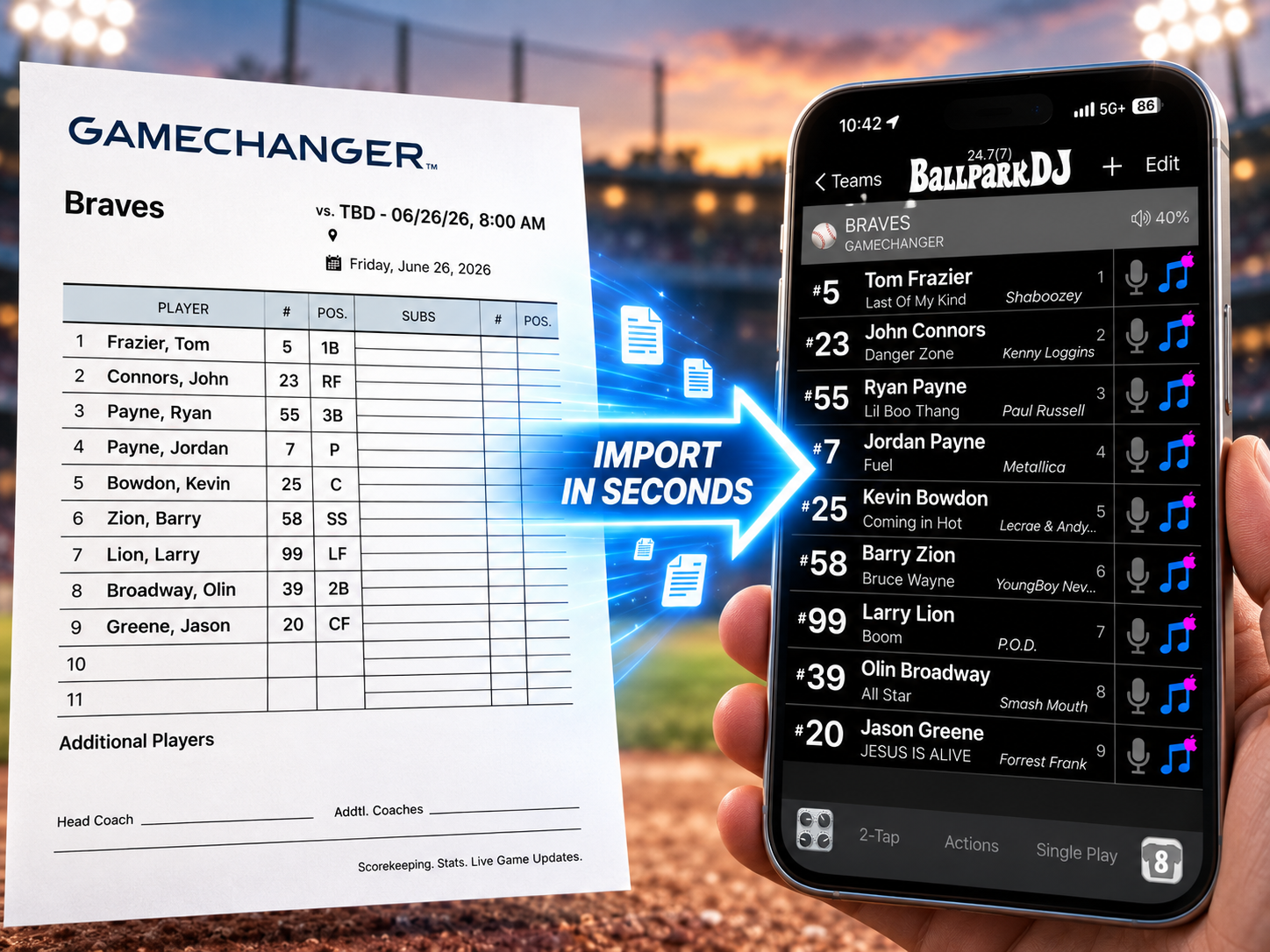
Create Your BallparkDJ Team From a GameChanger Lineup
Setting up a new team in BallparkDJ is faster than ever.
Simply save or share your GameChanger Lineup PDF and import it into BallparkDJ. We’ll read the lineup and pull in the player information for you, including:
Jersey number
First name
Last name
Batting order
In just a few seconds, your roster is ready in BallparkDJ so you can add walk-up songs, player introductions, professional voicing, and more.
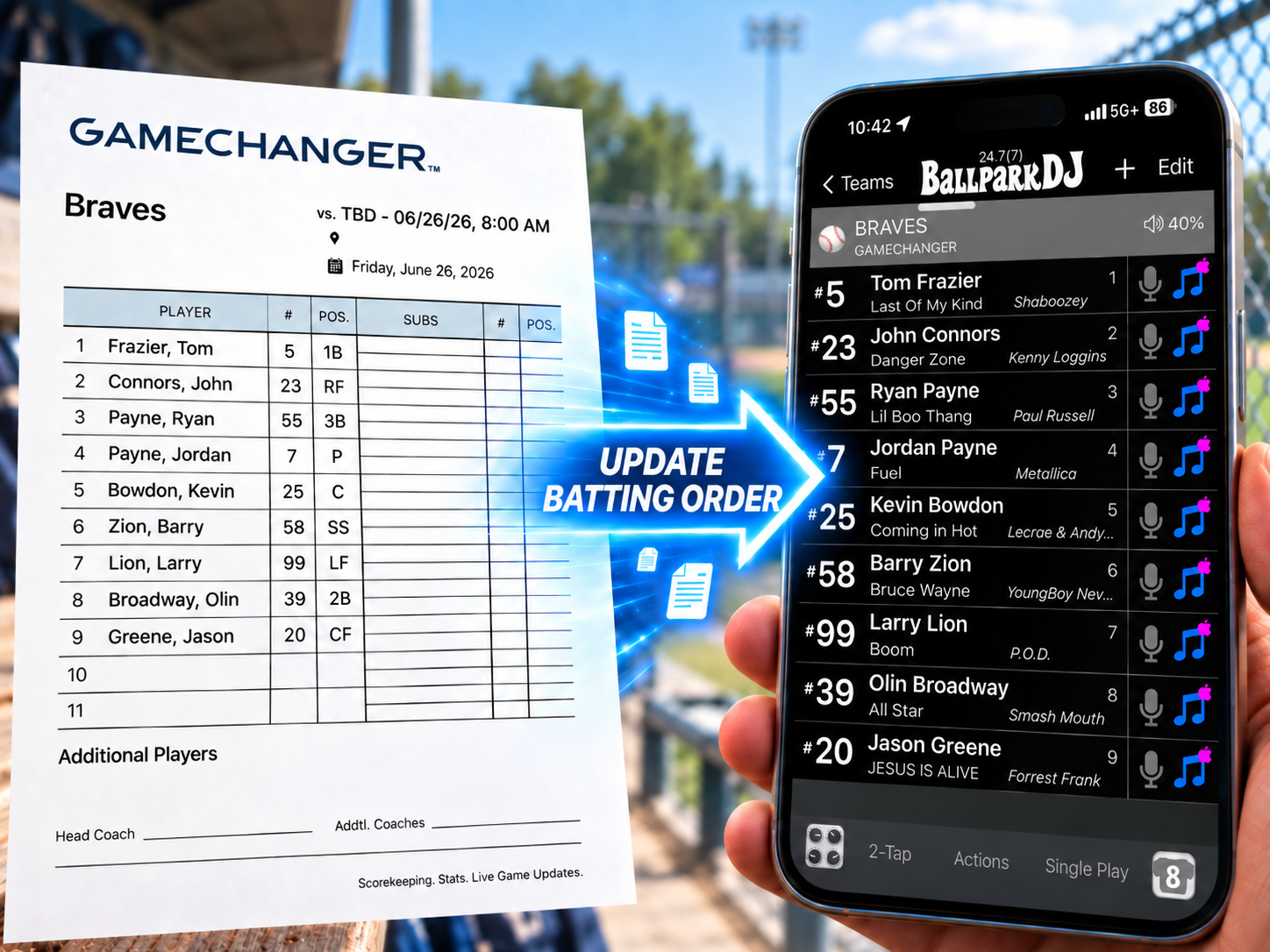
Update Your Batting Order Before Every Game
Your roster may stay the same, but your batting order probably doesn’t.
Instead of manually moving players up and down in BallparkDJ every time your coach changes the lineup, simply import the latest GameChanger Lineup PDF.
BallparkDJ can use the latest lineup to update your existing team and put your players in the correct batting order for that game.
That means less pregame setup and less chance of playing the wrong walk-up song for the wrong batter.
From GameChanger to Game Day
Using the feature is simple:
In GameChanger, open your game and tap Score Game.
Tap My Team, then Lineup Card PDF.
Share or save the PDF to the device running BallparkDJ.
Open BallparkDJ and tap Create, Import, or Update Team.
Choose Import or Update from File and select the lineup PDF.
Review your roster and batting order, and you’re ready to play.
Whether you’re creating a BallparkDJ team for the first time or updating today’s batting order, you can go from your GameChanger lineup to a ready-to-play BallparkDJ team in just seconds.
Spend Less Time on Lineups. More Time on Game Day.
Coaches and team DJs already have enough to do before first pitch.
BallparkDJ makes it easy to take the lineup you’ve already created in GameChanger and turn it into the information you need for walk-up music and player introductions.
One lineup. One quick import. Your BallparkDJ team is ready.
Already Have BallparkDJ?
Open BallparkDJ and import your latest GameChanger Lineup PDF to create a new team or update today’s batting order.
Not using GameChanger?
You can also create or update a BallparkDJ team from other roster PDFs, screenshots, photos, and lineup files.
New to BallparkDJ?
BallparkDJ makes it easy to bring the big-league experience to youth baseball and softball with:
Player walk-up songs
Professional player introductions
Pregame team introductions
Sound effects and situational music
Team and player videos
Easy roster and lineup management
Download BallparkDJ and turn your next game into an experience your players will remember.
Frequently Asked Questions
Do I need to connect my GameChanger account to BallparkDJ?
No. There’s no account connection required. In GameChanger, open the game, go to My Team, and select Lineup Card PDF. You can send the PDF to your Team DJ or, if that’s you, copy it and return to BallparkDJ to import it.
How do I import a GameChanger lineup into BallparkDJ?
In BallparkDJ, tap Create, Import, or Update Team from the main screen, choose Import or Update from File, and follow the prompts. Review the roster and batting order, and you’re ready to play.
Can I import files or images other than a GameChanger PDF?
Yes. BallparkDJ can import many common roster and lineup formats, including PDFs, screenshots, photos, and other files or images that clearly show player information.
Can I import a lineup from another app?
Yes. GameChanger is just one example. If another app can produce a roster or lineup as a PDF, screenshot, image, or similar file, you can generally import it into BallparkDJ the same way.
Can I use this to create a brand-new BallparkDJ team?
Yes. BallparkDJ can read the player information from your lineup and quickly build a new team without requiring you to enter every player manually.
Can I update a team I already have in BallparkDJ?
Yes. Import your latest lineup to quickly update your roster or batting order throughout the season.
Will updating my team change walk-up songs or voice recordings?
No. When BallparkDJ matches players already on your team, their walk-up songs, voice recordings, and other player content are preserved.
Should I review the lineup after importing it?
Yes. BallparkDJ automatically reads your lineup, but automated imports can occasionally make a mistake. We recommend giving the roster and batting order a quick review before game time.
GameChanger is a trademark of its respective owner. BallparkDJ is not affiliated with or endorsed by GameChanger. BallparkDJ can import GameChanger Lineup PDF files as well as many other roster file and image formats, and no direct GameChanger account connection is required.